


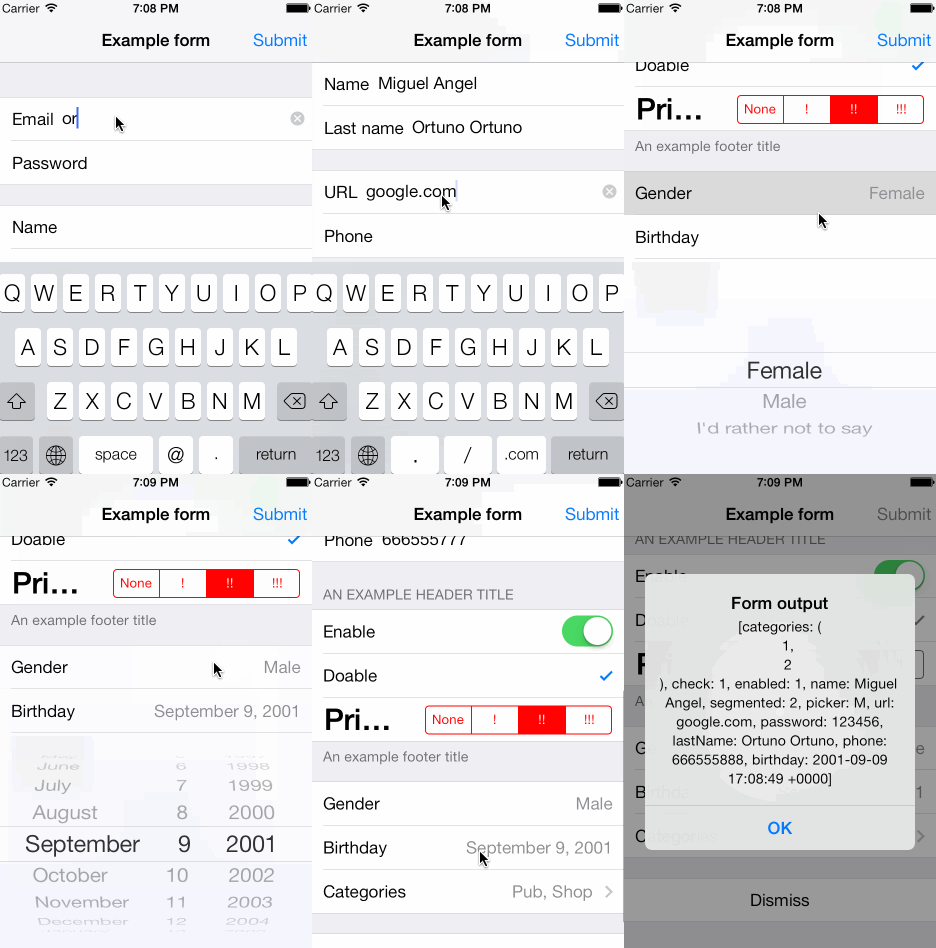
SwiftForms Purpose SwiftForms is a powerful and extremely flexible library written in Swift that allows to create forms by just defining them in a couple of lines. It also provides the ability to customize cells appearance, use custom cells and define your own selector controllers. Here is an screenshot from an example application using SwiftForms How to create a form Creating a form using SwiftForms is pretty straightforward. All you need is to derive your controller from FormViewController and define a FormDescriptor instance along with its sections and rows. Here is an example of how to create a simple form to input an email and a user password. // Create form instace var form = FormDescriptor () form. title = " Example form " // Define first section var section1 = FormSectionDescriptor () var row = FormRowDescriptor ( tag : " name " , rowType : . Email , title : " Email " ) section1. rows . append (row) row = FormRowDescriptor ( tag : " pass " , rowType : . Password , title : " Password " ) section1. rows . append (row) // Define second section var section2 = FormSectionDescriptor () row = FormRowDescriptor ( tag : " button " , rowType : . Button , title : " Submit " ) section2. rows . append (row) form. sections = [section1, section2] self . form = form To see a more complex form definition you can take a look to the example application. Cell appearance Every row descriptor has a configuration dictionary that allows to customize cells appearance and behavior. In order to change concrete visual aspects of a row simply set row.configuration.cell.appearance value to a dictionary containing custom key-value coding properties. Heres an example: row. configuration . cell . appearance = [ " titleLabel.font " : UIFont. boldSystemFontOfSize ( 30.0 ), " segmentedControl.tintColor " : UIColor. redColor ()] Custom cells In addition, it is possible to create 100% custom cells by deriving from FormBaseCell class. In that case, dont forget to override configure and update methods. First method will be called only once and after cell has been created, and the second one every time cell content should be refreshed. Here are the methods that help you to define custom cell behavior. func configure () { /// override } func update () { /// override } class func formRowCellHeight () -> CGFloat { return 44.0 } class func formViewController ( formViewController : FormViewController, didSelectRow : FormBaseCell) { } Once you have defined your custom cell, and in order to use it for a concrete row, youll have to set FormRowDescriptor cellClass property. Custom selector controllers In order to customize selector controller your class should conform to FormSelector protocol. That way youll have access to the cell instance that pushed the controller, being able to alter its properties or setting its row value accordingly to user interaction. After defining your class, dont forget to set row.configuration.selection.controllerClass value in the configuration dictionary to use your custom selector controller. Requirements iOS 8.0 and above CocoaPods CocoaPods is a dependency manager for Cocoa projects. CocoaPods 0.36 adds supports for Swift and embedded frameworks. You can install it with the following command: $ gem install cocoapods To integrate SwiftForms into your Xcode project using CocoaPods, specify it in your Podfile : source https://github.com/CocoaPods/Specs.git platform :ios , 8.0 use_frameworks! pod SwiftForms Then, run the following command: $ pod install Carthage Simply add the following line to your Cartfile : github "ortuman/SwiftForms" Then run: $ carthage update For more information on Carthage see the README Copyright SwiftForms is originally based on XLForm github project. ( https://github.com/xmartlabs/XLForm ) Check LICENSE file for more details. Contact If you are using SwiftForms in your project and have any suggestion or question: Miguel Angel Ortuño, ortuman@gmail.com @ortuman
A small and lightweight library written in Swift that allows you to easily create forms.
3997
来源:
Licence:
联系:
分类:
平台:
环境:
大小:
更新:
标签:
免费下载
×


温馨提示
请用电脑打开本网页,即可以免费获取你想要的了。
