

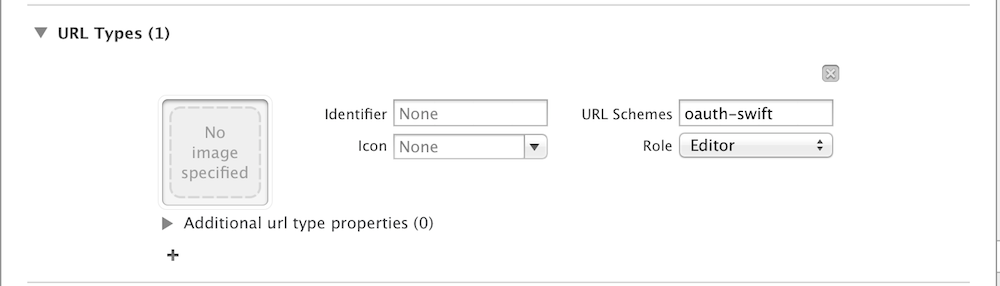
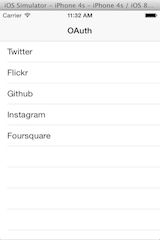
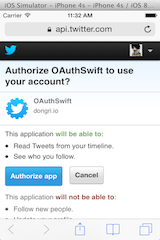
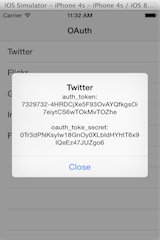


OAuthSwift Swift based OAuth library for iOS and OSX. Support OAuth1.0, OAuth2.0 Twitter, Flickr, Github, Instagram, Foursquare. Fitbit, Withings, Linkedin, Dropbox, Dribbble, Salesforce, BitBucket, GoogleDrive, Smugmug, Intuit, Zaim, Tumblr, Slack, Uber, Gitter, Facebook, Spotify, Typetalk, SoundCloud, etc Installation OAuthSwift is packaged as a Swift framework. Currently this is the simplest way to add it to your app: Drag OAuthSwift.xcodeproj to your project in the Project Navigator. Select your project and then your app target. Open the Build Phases panel. Expand the Target Dependencies group, and add OAuthSwift framework. import OAuthSwift whenever you want to use OAuthSwift. Support Carthage Install Carthage ( https://github.com/Carthage/Carthage ) Create Cartfile file github "OAuthSwift/OAuthSwift" ~> 1.1.0 Run carthage update . On your application targets’ “General” settings tab, in the “Embedded Binaries” section, drag and drop OAuthSwift.framework from the Carthage/Build/iOS folder on disk. Support CocoaPods Podfile platform :ios, 8.0 use_frameworks! pod OAuthSwift, ~> 1.1.0 How to Setting URL Schemes In info tab of your target Replace oauth-swift by your application name Handle URL in AppDelegate On iOS9 implement UIApplicationDelegate method func application ( _ app : UIApplication, open url : URL, options : [UIApplicationOpenURLOptionsKey : Any ] = [ : ]) -> Bool { if (url. host == " oauth-callback " ) { OAuthSwift. handle ( url : url) } return true } ⚠️ Any other application may try to open a URL with your url scheme. So you can check the source application, for instance for safari controller : if (options["UIApplicationOpenURLOptionsSourceApplicationKey"] as? String == "com.apple.SafariViewService") { On previous iOS version func application ( _ application : UIApplication, open url : URL, sourceApplication : String ? , annotation : Any ) -> Bool { On OSX you must register an handler on NSAppleEventManager for event type kAEGetURL (see demo code) func applicationDidFinishLaunching ( _ aNotification : NSNotification) { NSAppleEventManager. shared (). setEventHandler ( self , andSelector : #selector (AppDelegate. handleGetURL ( event:withReplyEvent: )), forEventClass : AEEventClass (kInternetEventClass), andEventID : AEEventID (kAEGetURL)) } func handleGetURL ( event : NSAppleEventDescriptor ! , withReplyEvent : NSAppleEventDescriptor ! ) { if let urlString = event. paramDescriptor ( forKeyword : AEKeyword (keyDirectObject)) ? . stringValue , let url = URL ( string : urlString) { OAuthSwift. handle ( url : url) } } Authorize with OAuth1.0 // create an instance and retain it oauthswift = OAuth1Swift ( consumerKey : " ******** " , consumerSecret : " ******** " , requestTokenUrl : " https://api.twitter.com/oauth/request_token " , authorizeUrl : " https://api.twitter.com/oauth/authorize " , accessTokenUrl : " https://api.twitter.com/oauth/access_token " ) let handle = oauthswift. authorize ( withCallbackURL : URL ( string : " oauth-swift://oauth-callback/twitter " ) ! , success : { credential, response, parameters in print (credential. oauth_token ) print (credential. oauth_token_secret ) print (parameters[ " user_id " ]) }, failure : { error in print (error. localizedDescription ) } ) Authorize with OAuth2.0 oauthswift = OAuth2Swift ( consumerKey : " ******** " , consumerSecret : " ******** " , authorizeUrl : " https://api.instagram.com/oauth/authorize " , responseType : " token " ) let handle = oauthswift. authorize ( withCallbackURL : URL ( string : " oauth-swift://oauth-callback/instagram " ) ! , scope : " likes+comments " , state : " INSTAGRAM " , success : { credential, response, parameters in print (credential. oauth_token ) }, failure : { error in print (error. localizedDescription ) } ) See demo for more examples Handle authorize URL The authorize URL allows the user to connect to a provider and give access to your application. By default this URL is opened into the external web browser (ie. safari), but apple does not allow it for app-store iOS applications. To change this behavior you must set an OAuthSwiftURLHandlerType , simple protocol to handle an URL oauthswift. authorizeURLHandler = .. For instance you can embed a web view into your application by providing a controller that displays a web view ( UIWebView , WKWebView ). Then this controller must implement OAuthSwiftURLHandlerType to load the URL into the web view func handle ( _ url : NSURL) { let req = URLRequest ( URL : targetURL) self . webView . loadRequest (req) ... and present the view ( present(viewController , performSegue(withIdentifier: , ...) You can extends OAuthWebViewController for a default implementation of view presentation and dismiss Use the SFSafariViewController (iOS9) A default implementation of OAuthSwiftURLHandlerType is provided using the SFSafariViewController , with automatic view dismiss. oauthswift. authorizeURLHandler = SafariURLHandler ( viewController : self , oauthSwift : oauthswift) Of course you can create your own class or customize the controller by setting the variable SafariURLHandler#factory . Make signed request oauthswift. client . get ( " https://api.linkedin.com/v1/people/~ " , success : { response in let dataString = response. string print (dataString) }, failure : { error in print (error) } ) // same with request method oauthswift. client . request ( " https://api.linkedin.com/v1/people/~ " , . GET , parameters : [ : ], headers : [ : ], success : { ... See more examples in the demo application: ViewController.swift OAuth provider pages Twitter Flickr Github Instagram Foursquare Fitbit Withings Linkedin Dropbox Dribbble Salesforce BitBucket GoogleDrive Smugmug Intuit Zaim Tumblr Slack Uber Gitter Facebook Spotify Trello Buffer Goodreads Typetalk SoundCloud Images Contributing See CONTRIBUTING.md Add a new service in demo app Integration OAuthSwift could be used with others frameworks You can sign Alamofire request with OAuthSwiftAlamofire To achieve great asynchronous code you can use one of this integration frameworks OAuthSwiftFutures - BrightFutures OAuthRxSwift - RxSwift OAuthReactiveSwift - ReactiveSwift License OAuthSwift is available under the MIT license. See the LICENSE file for more info.
Swift based OAuth library for iOS
3997
来源:
Licence:
联系:
分类:
平台:
环境:
大小:
更新:
标签:
免费下载
×


温馨提示
请用电脑打开本网页,即可以免费获取你想要的了。
