
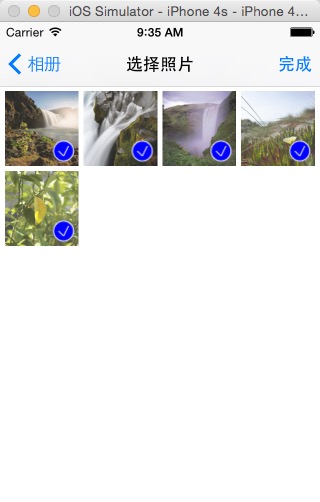
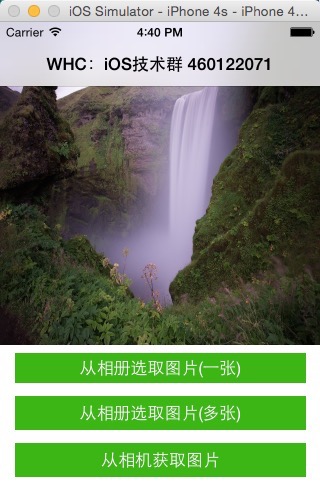
WHC_PhotoCameraChoicePictureDemo 作者:吴海超 联系qq:712641411 iOS从相册和相机选择图片进行封装,从相册支持选择多张和一张控制,集成使用简单方便,具体看demo使用集成方式运行效果 接口使用实例 Use Example - ( IBAction )clickButton:(UIButton *)sender{ switch (sender. tag ) { case 0 :{ //从相册选择一张 WHC_PictureListVC * vc = [WHC_PictureListVC new ]; vc. delegate = self; vc. choiceMorePicture = NO ; [ self presentViewController: [[UINavigationController alloc ]initWithRootViewController:vc] animated: YES completion: nil ]; } break ; case 1 :{ //从相册选择多张 WHC_PictureListVC * vc = [WHC_PictureListVC new ]; vc. delegate = self; vc. choiceMorePicture = YES ; [ self presentViewController: [[UINavigationController alloc ]initWithRootViewController:vc] animated: YES completion: nil ]; } break ; case 2 :{ //从相机选择 WHC_CameraVC * vc = [WHC_CameraVC new ]; vc. delegate = self; [ self presentViewController: vc animated: YES completion: nil ]; } break ; default : break ; } } //下面是代理实现在代理里面显示所选图片 # pragma mark - WHC_ChoicePictureVCDelegate - ( void )WHCChoicePictureVC:(WHC_ChoicePictureVC *)choicePictureVC didSelectedPhotoArr:( NSArray *)photoArr{ for (UIView * subView in _imageSV. subviews ) { if ([subView isKindOfClass: [UIImageView class ]]){ [subView removeFromSuperview ]; } } for ( NSInteger i = 0 ; i < photoArr. count ; i++) { UIImageView * imageView = [[UIImageView alloc ]initWithFrame: CGRectMake (i * CGRectGetWidth (_imageSV.frame), 0 , CGRectGetWidth (_imageSV.frame), CGRectGetHeight (_imageSV.frame))]; imageView. image = photoArr[i]; [_imageSV addSubview: imageView]; } _imageSV. contentSize = CGSizeMake (photoArr. count * CGRectGetWidth (_imageSV. frame ), 0 ); } # pragma mark - WHC_CameraVCDelegate - ( void )WHCCameraVC:(WHC_CameraVC *)cameraVC didSelectedPhoto:(UIImage *)photo{ [ self WHCChoicePictureVC: nil didSelectedPhotoArr: @[photo]]; }
iOS从相册和相机选择图片进行封装
3997
来源:
Licence:
联系:
分类:
平台:
环境:
大小:
更新:
标签:
免费下载
×


温馨提示
请用电脑打开本网页,即可以免费获取你想要的了。
