
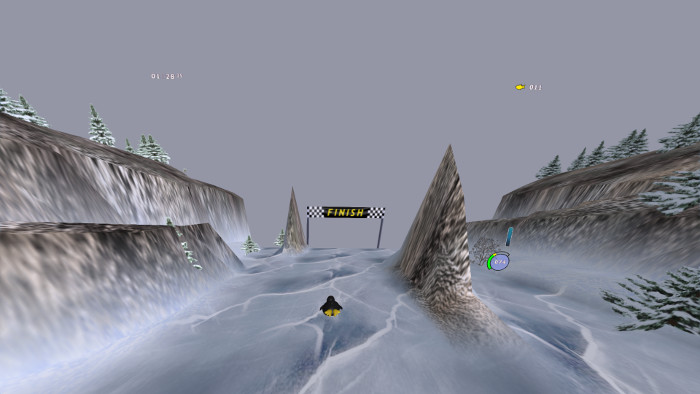
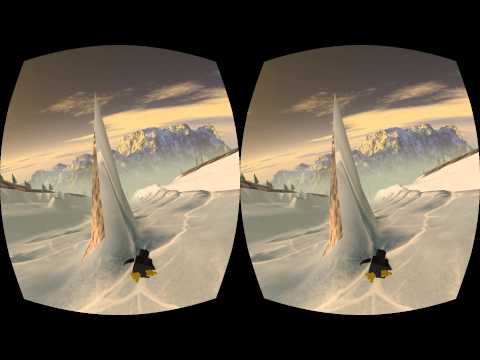

Extreme Tuxracer VR The open source downhill winter game with Oculus Rift support! Please have patience and read the following to get it running acceptably (low latency). WARNING: A decent gaming graphics card is necessary. Integrated graphics hardware, eg. most laptops, wont be fast enough. Watch on Youtube: Installation Windows: TuxRacerVR_v0.67_windows.zip Make sure the Oculus runtime is installed and running in either extended or direct-to-rift mode. Download, unzip, and run TuxRacerVR.exe from the extracted directory. If in extended mode, use F2 or F9 key to toggle between the Rift and back. Direct-to-rift should "Just Work" (no need for F9 key) and mirror to both displays. See config/options.txt for performance tweaks if needed (see below). Linux: TuxRacerVR_v0.67_linux.zip Make sure the Oculus runtime is installed and running and dont rotate dk2. Download, unzip, and run ./TuxRacerVR from the extracted directory. If you get this: "Error: [Context] Unable to obtain x11 visual from context", PLEASE report back if this helps: OVR_FBCONFIG_OVERRIDE=1 ./TuxRacerVR Use F2 or F9 key to toggle between the Rift and back. See config/options.txt for performance tweaks if needed (see below). OSX: It should compile from source though I havnt tried yet. Gameplay Controls are all based on head movements. Look at gui components and wait for a second to select them. Lean left/right to control Tuxs direction down the course. Lean back to brake and slow down. Protips: Dont paddle or brake on ice; Slide for more speed (not easy). Look down and back up to get more air during a jump. Settings F2 or F9 toggles the window to the Rift and back (ONLY for extended mode). SPACE: recenter the view to the current HMD orientation. Up/Down arrows change the distance behind tux. Right/Left: change the angle above/behind tux. h: cycle through different modes of heads up display. hud cycles: Off -> World Relative -> FPS toggle -> Stuck to Face -> Off r: reset player location if stuck somewhere on the course. w/s: increase/decrease IPD. a/d: increase/decrease player speed. 1,2,3,4 flip between preset camera positions. F3-F8 toggles display of elements in the course. ESC to go back a screen or quit the game. Delete the file config/options.txt to regenerate w/ defaults. Compile from source: Dependencies: sdl2 sdl2-mixer sdl2-image ftgl freetype glew git g++ apt-get install git libsdl2-dev libsdl2-image-dev libsdl2-mixer-dev libftgl-dev libftgl2 libfreetype6-dev libglew-dev libvorbis-dev libjpeg8-dev libpng-dev libsmpeg-dev chrpath optional but recommended for changes to configure.ac: autotools-dev libltdl-dev automake autoconf For older debian (squeeze or wheezy) follow: http://backports.debian.org/Instructions/ apt-get -t wheezy-backports install "libsdl2-dev" Other libs need to be compiled manually if not in your distro already: sdl2-mixer sdl2-image Download the oculus rift sdk 0.4.4 (0.5 not supported yet), extract somewhere, and compile it: https://developer.oculus.com/downloads/#version=pc-0.4.4-beta Download and compile tuxracer vr: sudo apt-get install git git clone https://github.com/jdtaylor/tuxracer-vr.git export OVR_ROOT="/path/to/your/compiled/oculus/ovr_sdk_linux_0.4.4" export CFLAGS="-Ofast -fomit-frame-pointer -march=native" cd tuxracer-vr ./bootstrap ./configure make src/etr On Linux the Oculus SDK only supports extended mode.. whether using Xinerama or as separate displays via the DISPLAY environment variable. Please make sure your oculusd or ovrd service is running and issue src/etr from the root build directory. Use F2 or F9 key to toggle to the rift and back. If you get poor <75 fps performance, try disabling vsync in the configuration file. In the ~/.etr/options file change [no_vsync] 0 to [no_vsync] 1 Sometimes if the rift is turned off and back on while Xorg is running, judder starts and I havnt found a way to make it go away without an X shutdown and restart w/ the Rift on. Ive seen good results with the following in ~/.etr/options for the open source Radeon driver. [fullscreen] 0 [detail_level] 1 [forward_clip_distance] 80 [backward_clip_distance] 30 [tree_detail_distance] 30 [tux_sphere_divisions] 2 [tux_shadow_sphere_div] 1 [course_detail_level] 75 [full_skybox] 1 [no_skybox] 0 [no_vsync] 0 [no_prediction] 0 [no_timewarp] 0 [no_timewarp_spinwaits] 0 [no_hq_distortion] 1 [no_compute_shader] 1 [no_restore] 0 [use_fxaa] 1 [ipd_multiplier] 1 [player_frict_speed] 11 [camera_distance] 3.5 [camera_angle] -26 [fly_amount] 30 [dire_straits_tux] 1 [console_dump] 0 If you want to lose your lunch.. accidentally set player_frict_speed to something over 120. Things Needing Attention Ive only been testing with open source radeon drivers. Please let me know if other cards/drivers work or not. Optimization is needed for higher detail levels, track marks, ice env maps, snow. If it fails to start with: Error: [Context] Unable to obtain x11 visual from context Quick fix: OVR_FBCONFIG_OVERRIDE=1 ./TuxRacerVR Occurs when using the xf86-video-ati open source radeon driver. See the following for a patch to the Oculus SDK: https://forums.oculus.com/viewtopic.php?t=16664#p252973 Translations are behind. Spanish, etc. See data/translations for language files. Contact: IRC: Im metric on #etuxracer (Freenode) Github: http://github.com/jdtaylor Email: j.douglas.taylor@gmail.com My public key can be found at http://jdtaylor.org Donations: If you like what you see and want to support more Free Software for VR; please send bitcoin: 12ptLNTGD16itaG9mXQxYRaExwXr3aVyFd
Extreme Tux Racer 0.6 with Oculus Rift support.
3997
来源:
Licence:
联系:
分类:
平台:
环境:
大小:
更新:
标签:
免费下载
×


温馨提示
请用电脑打开本网页,即可以免费获取你想要的了。
